


How to Accept Card Payments Without a Card Machine
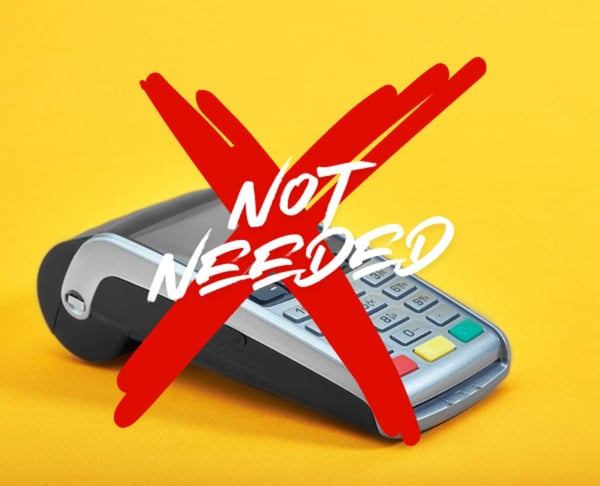

A Simple Way to Accept Card Payments Without a Card Machine
If you want to accept card payments without a physical card machine, several straightforward options are available. Many small businesses use secure payment links, display QR codes, or offer branded online payment pages that customers can access on their devices.
These solutions are especially useful if you work remotely, visit clients, sell services, take deposits, or prefer not to carry card hardware. With PaymentLink.io, you can provide a branded payment experience, allowing customers to pay by card, Apple Pay, or Google Pay where supported by Stripe, without a traditional card machine.
Accept Card Payments Without a Physical Terminal
A card machine is helpful for some businesses, especially in busy retail settings, but it is not the only way to accept card payments. If your customer is willing to pay from their own device, an online payment link offers a simpler solution.
Rather than requesting bank transfers or waiting for cash, you can send a clear payment request. Customers click the link, review the amount, and pay online using their preferred card or supported digital wallet.
Use a Payment Link
The simplest option is to send a payment link, a unique URL that directs the customer to a payment page for the specified amount.
You can send the link via email, WhatsApp, SMS, messenger, or any channel you already use with customers. This approach suits freelancers, tutors, tradespeople, consultants, agencies, and local service businesses that agree on a price before or after the job, session, or order.
For example, a driving instructor can send a link after confirming a block booking, a web designer can send a deposit link before starting a project, and a tradesperson can send a payment request once the work is complete.
Use a QR Code for In-Person Payments
If you meet customers in person, QR code payments offer a practical alternative to a card machine. Customers scan the code with their phone to access the payment page instantly.
This method is useful for pop-up services, home visits, workshops, events, consultations, or collection points. You can display the QR code on a counter, invoice, flyer, reception desk, or printed card, allowing customers to pay without a terminal.
Use a Branded Payment Page
A branded payment page provides customers with a single, consistent place to pay. Instead of creating a new request each time, you can direct regular customers to your page to enter their payment details and complete the transaction online.
This approach presents your business more professionally than sending plain bank details. It also reduces confusion, as customers see your branding, payment information, and a clear checkout process.
Sell Fixed Services Without a Full Online Shop
If you offer repeatable services or small product bundles, a full e-commerce website may not be necessary. A micro e-commerce page allows customers to select fixed-price items and pay online.
This works well for service packages, lessons, consultations, deposits, workshops, memberships, print orders, or add-ons. It provides a simple checkout experience without the complexity of a larger online store.
For a more detailed guide, read our article on how to sell services online without a website.
Why This Works for Small Businesses
Accepting card payments without a card machine can reduce payment friction. Customers do not need to ask how to pay, and you spend less time following up on bank transfers. You can send a clear request while the job, order, or booking is still top of mind.
This approach is also flexible. Use payment links for remote payments, QR codes for in-person transactions, a dedicated page for regular customers, or a small payment page for fixed services. Choose the option that best fits your customers’ payment preferences.
For more ways to make payment collection easier, read our guide to payment solutions for small business.
How PaymentLink.io Helps
PaymentLink.io is built on Stripe and allows you to connect your Stripe account. You can create branded payment links, payment pages, QR payments, and small payment pages for services or products. Customers can pay online by card, Apple Pay, or Google Pay where supported by Stripe.
You still benefit from a familiar online card payment experience without the need to buy, carry, or manage a physical card machine. Stripe payment gateway fees apply, but PaymentLink.io offers a more branded and organized way to request payment.
Start Taking Card Payments Without a Card Machine
If you want a simple way to collect card payments online, PaymentLink.io enables you to create a payment request and share it with your customer in minutes. Use it for deposits, balances, bookings, one-off jobs, repeat services, or in-person QR payments.
Create your first payment link to make it easier for customers to pay without a card machine.
We’re fanatical about your success.
Start with a 30-day free trial - no restrictions, no monthly commitments or tie-ins.Start changing the way you take payments and make your life easier.


