


How to Take Payments at Markets, Pop-Ups and Events Without a Card Machine
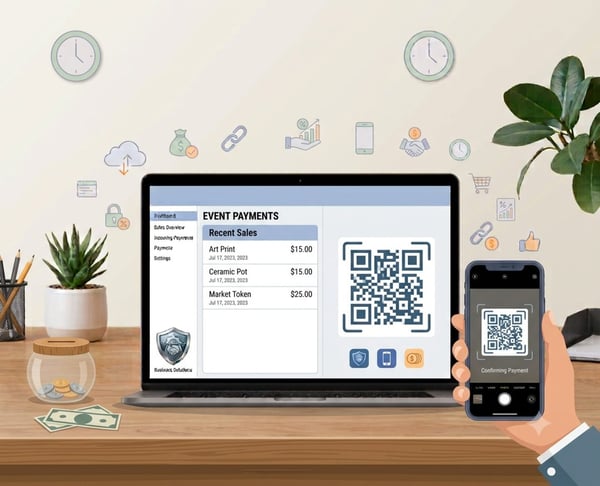

Taking event payments without carrying a terminal
To take payments at markets without card machines, you need a way customers can use on their own phone. A QR code, payment link, or small online price list lets shoppers pay by card or wallet without you having to buy, charge, connect, or share a card reader.
For stallholders, pop-up sellers, mobile food vendors, and event traders, the main challenge is speed. You need a way to take payment while items are selling, lines are forming, and the internet might be slow. PaymentLink.io helps by offering easy payment options like QR code payments, payment links, and small online shops for fixed-price products.
Why market and pop-up sellers need a backup payment method
Customers now mostly use cards and mobile wallets to pay. UK Finance said cards were the most common way to pay in the UK in 2024, making up 64% of all payments. If you only take cash, customers might have to leave the line, find an ATM, or give up on buying something.
At the same time, a card machine is not always the best choice for every occasional seller. Some traders only sell at weekend markets. Some sell at seasonal fairs or school events. Some are testing a product before buying permanent equipment.
The main ways to take payments at markets without card machine
You have several options. The best choice depends on whether you are selling fixed-price items, custom products, made-to-order services, or quick add-ons.
| Method | How it works | Best for |
|---|---|---|
| QR code payment | The customer scans a code and pays using their phone. | Stall signs, price boards, counter cards and queues. |
| Payment link | You send or show a link for a set amount. | Custom orders, deposits, delivery fees and one-off charges. |
| Micro e-commerce page | The customer picks an item from a small online shop page. | Fixed price lists, bundles, add-ons and service packages. |
| Bank transfer | The customer sends money straight from their banking app. | Good for known customers, but slower at busy events. |
A simple market payment setup
Before the event, list your most common types of sales. For example: single item, bundle, deposit, delivery charge, custom order and final payment. Then set up a payment method for each one.
Your setup could look like this:
- A printed QR sign for your main QR code payment page.
- A micro e-commerce page for fixed-price items such as sample packs, event bundles or workshop tickets.
- A quick payment link for custom prices, deposits or order balances.
- Clear wording on your stall, such as "Scan to pay by card" and "Apple Pay or Google Pay," where available.
- A note for staff on when to use each payment option.
How to keep the queue moving
Payment problems are most obvious when people are waiting. If a buyer has to ask how to pay, what reference to use, or if you take cards, the line slows down. A clear QR code helps because the instructions are easy to see before the customer gets to the front.
Don't make the customer scan first and then wonder what to do. Put the QR code next to a short explanation, include your business name on the payment page, and make the amount or item description clear.
When a card machine may still be useful
QR payments are flexible, but they are not always the fastest way in a busy shop line. A card machine may still be useful if you run a permanent shop, handle hundreds of small payments every hour, or serve customers who don’t want to scan a code.
The practical answer is not always one or the other. Many sellers use a QR payment option as a simple main method at occasional events, or as a backup when a card reader’s battery, connection, or account problems slow them down.
Where PaymentLink.io fits for event sellers
PaymentLink.io is useful when you want to take payments without turning your business into a full online shop. You can set up a branded payment page for general payments, create payment links for specific buyers, and use a QR code for in-person sales.
If you sell fixed-price items, the small online shop page can work like a simple price list. If you sell custom items, services, or event bookings, a payment link keeps the payment request clear.
Final checklist before your next market or pop-up
Test everything before you arrive. Scan your QR code with another phone, do a small test payment if possible, and make sure your team knows which link to use.
Bring printed QR signs, a phone power bank, and a simple payment instruction card. For your next event, start with a PaymentLink.io QR code and fixed-price payment page so customers can pay while they are still ready to buy.
How to prepare event payment materials
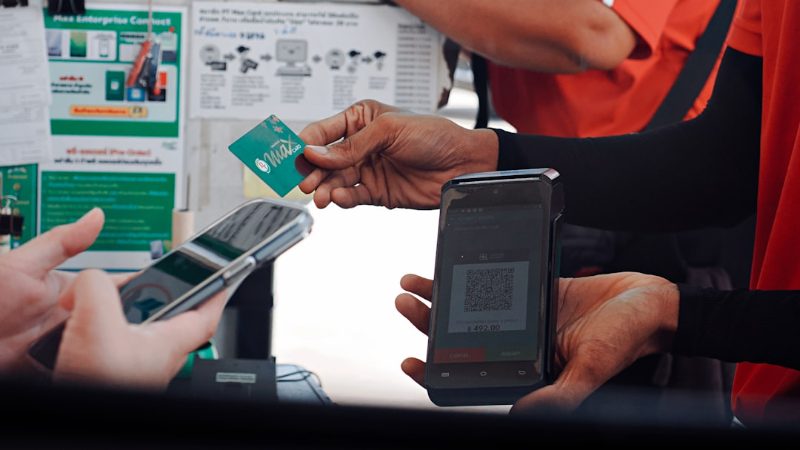
Market and event payments are easier when everything is ready before the first customer arrives. Print a main QR code sign, keep a backup copy in your cash box or bag, and save the payment link on your phone so you can share it quickly.
If you sell a small product range, label each QR code clearly. For example, one code for general payment, one for a fixed bundle, and one for workshop deposits. Avoid putting too many codes next to each other without instructions, as customers might scan the wrong one.
After the event, check which payment method was used the most. That helps you decide whether to grow your small online shop page, simplify your signs, or add more fixed-price links for the next market.
- Create QR signs before the event day.
- Keep payment links saved as phone shortcuts.
- Use the same wording on signs and payment pages.
- Check payment confirmation before handing over high-value items.
Before you make your market payment setup live
Treat the payment process as part of the service customers see, not just an admin shortcut. Look at the page on a mobile phone, check the spelling of the offer or service name, and make sure the amount matches what the customer agreed to. A small mistake can cause doubt right when you want the customer to pay.
Next, test the payment method that customers will actually use. If the customer gets it via WhatsApp, open the link in WhatsApp. If they scan a sign, print a draft QR code and scan it with a regular camera app. If they will pick from a small list, make sure the item names are clear so you don't have to explain them in person.
Finally, keep the payment process easy to manage. Remove old links, update seasonal prices, and ensure staff or helpers use the same approved wording. This consistency makes your event payment method feel trustworthy and makes the payment step easier to repeat as your business grows.
Use QR code payments to create the payment method customers see, then keep improving the wording and placement based on the questions customers ask.
We’re fanatical about your success.
Start with a 30-day free trial - no restrictions, no monthly commitments or tie-ins.Start changing the way you take payments and make your life easier.


