How to take payment if you're a Tradesperson

Payment Solutions for Tradespeople

Tradeperson

If you're a Builder, Electrician, Plumber, Gardener or Handyman - getting paid is often the most frustrating part of the job. You've turned up on time, done quality work, and now you're waiting days, sometimes weeks for a bank transfer to land while the next job is already calling. Cash is awkward to handle and not every customer carries it, and reading card numbers down the phone or sending bank details by text feels unprofessional and slows everything down. For bigger jobs you need a deposit before you order materials, and for smaller call-outs you want the money in the bank before you've left the driveway not chased weeks later when the customer has forgotten what you even did. 


Payment Link removes that friction so you can take a deposit the moment the job is agreed, collect the balance the second the work is signed off, and get on to the next call with the money already settled.

Focus on what you enjoy doing.
We'll make it easy for you to get paid.

Feature-image
page-feature-imagepayment-card
page-feature-image

Here are 4 ways Payment Link can help you take payments as a Tradesperson.

The Favourite Payment Solution
for Tradespeople

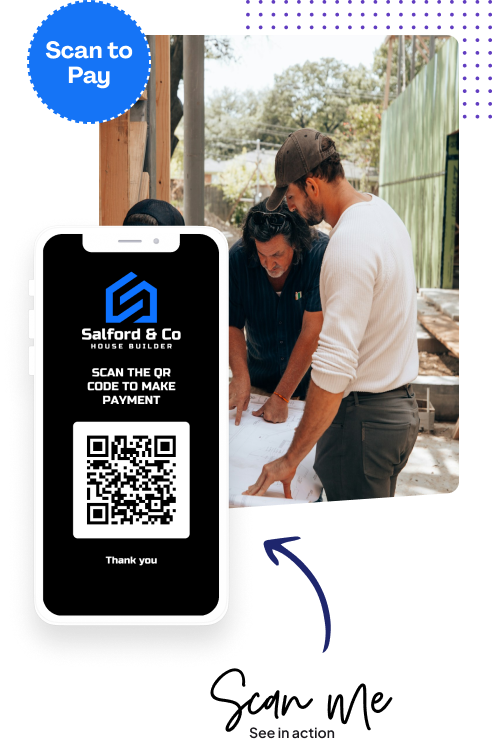
Pay using QR code in person

This is one of the most popular solutions for Payment Link for Tradespeople to take payment. When you're at the customers premises, simply open up Payment Link and the customer scans the QR code, you let them know the amount and they make payment. Quick easy and no excuses they don't have cash on them!
  • Once payment is made, you’ll both get notification.
  • Customers can download a receipt after they make payment.
  • Payment takes no more than 30 seconds and totally friction free
Pay using QR code in person

Your dedicated Payment Page - Open 24/7

If you're in dialogue with a customer, and you want them to make an ad-hoc payment for materials, a call out charge or anything else - send them to your online payment page. It's like having a full time accounts person working for you 24/7!.
  • Customers just open your page, enter the amount, and pay.
  • One permanent link you can share with all clients.
  • Always live - no setup needed, available 24/7.
  • Works on mobile, desktop, or tablet. No apps or sign-ups required.
  • You’re notified as soon as a payment comes through.
  • Your customer instantly receives a receipt by email once payment is made.
  • Ideal for when you're on the go and you need the customer to make payment asap.
  • All payments saved in your dashboard, neatly grouped by customer.
  • Make it yours - add your logo, background, and fonts in minutes.

Payment Request - 
Send a payment link

If you want to send a customer a payment request with a breakdown of what they’re paying for, simply send them a payment request link. You can do this on your mobile while you're on the go. Takes seconds and keeps your jobs moving.
  • You enter the description and amount and simply press a button to send the payment request by email - or copy and paste the payment link into any messenger app.
  • Customers can pay on their mobile, desktop or tablet. No software or registrations needed. Simply click the link and pay
  • You’re notified once payment has been made and your customer receives a receipt via email
  • All your payments are stored in your dashboard and grouped by customer.
  • Your Payment Page is designed to match your brand - upload your logo, add a background and change the fonts. Simple and easy to do.

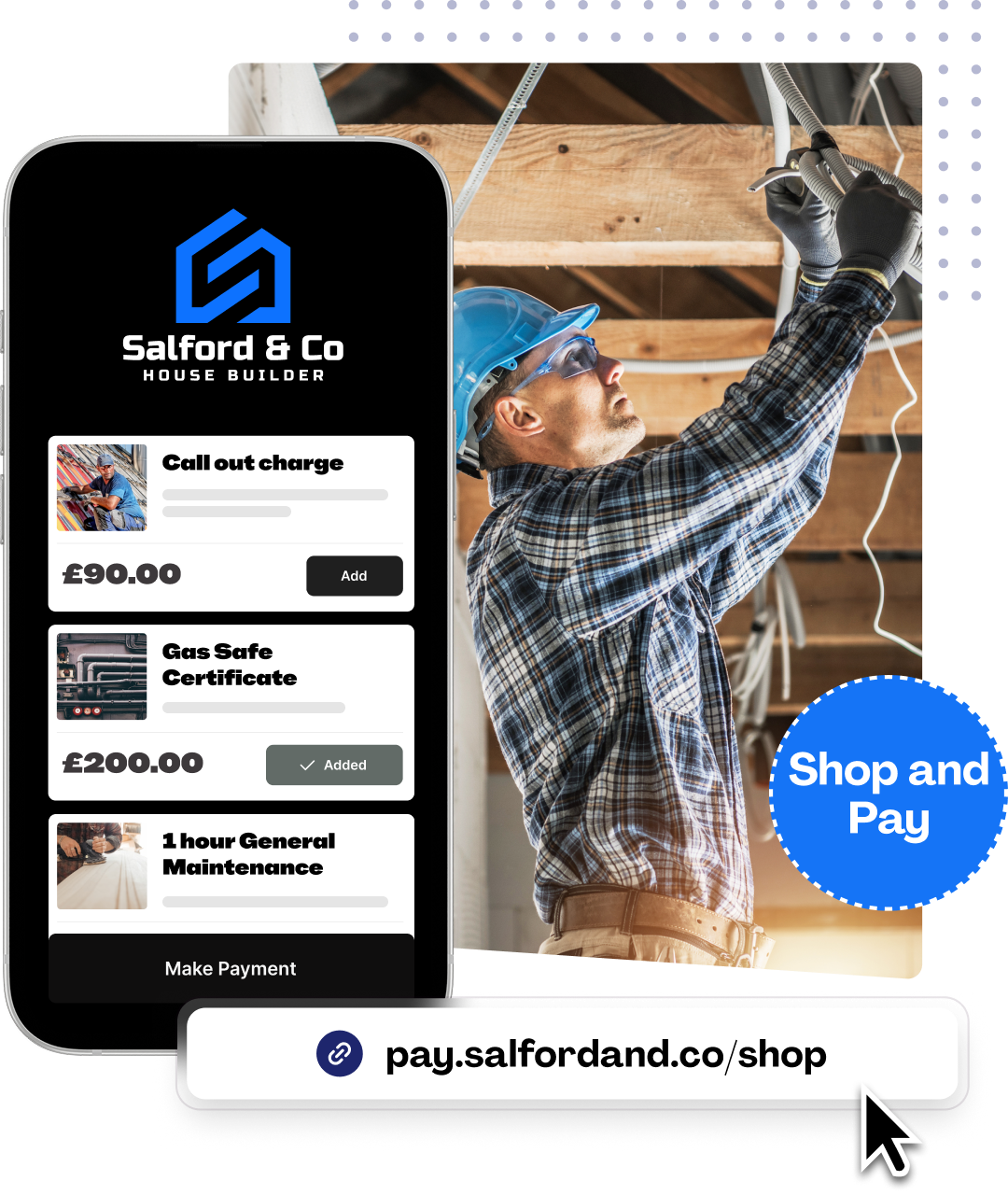
Micro e-commerce landing page - Your online shop

Micro e-commerce landing page - Your online shop

If you’re selling fixed price items e.g. you have different call out charges, or fixed price services, instead of repeating the same thing over and over again, you can simply send your customers to your dedicated services micro e-commerce page. It works just like a typical shopping e-commerce site so users will be presented with a familiar interface. They simply click and checkout.

Your dashboard will give you an instant summary of who has paid for what making it easier for you to keep track of payments without lifting a finger.

Your e-commerce page also gets indexed on search engines like Google which is great for exposure.
Micro e-commerce landing page - Your online shop

Use whatever method to take payment you want, whenever you want, with whoever you want.

Simple to set up, easy to use - ready to get started?

Styled for your brand

Customise your payment pages to match your brand effortlessly.
brand-kit

No credit card terminal needed

Payment Link is built on top of the worlds leading payment gateway - Stripe.
Use your existing Stripe account or create a new one inside Payment Link.
Payments are paid directly to your bank account.
payment-methodspayment-methods

Your Page. Your Brand. Your Style Your Domain.

Use our free Payment Link domain or use your own domain name. Share your payment page via email, social media, messenger or embed a link on your website.
custom-domain

Making it easy for your customers

Payment Link is not just designed to make your life easier, it’s there to make sure your it’s just as easy for your customers to do business with you. Businesses that make the entire sales process easy for their customers have a much higher retention rate.

Build solid relationships with you clients by making every step of your journey with them as easy and enjoyable as possible.

With Payment Link, awkward conversations, chasing for payments and limiting how customers do business with you is a thing of the past.

easy-customer

We’re fanatical about your success.

Start with a  30-day free trial - no restrictions, no monthly commitments or tie-ins.Start changing the way you take payments and make your life easier.

No credit card required
30-day free trial
Cancel Anytime