


How to Create a Payment Link for Business
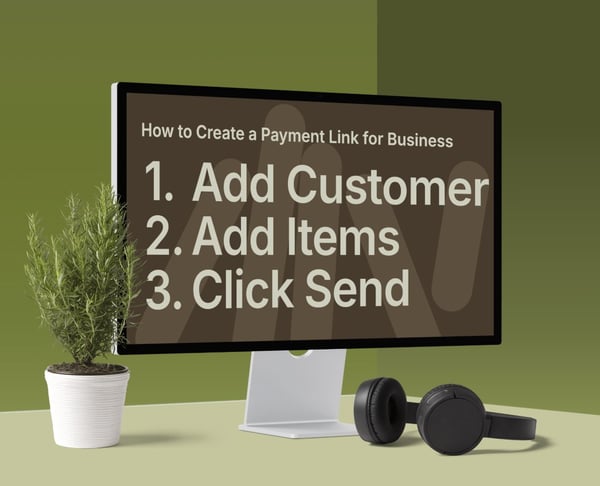

How Payment Links Make Business Payments Easier
To create a business payment link, select a payment link tool, connect your payment account, enter customer and payment details, generate the link, and send it via email, WhatsApp, SMS, or another channel. The customer clicks the link and pays online using the available methods.
For small businesses, freelancers, and service providers, payment links eliminate uncertainty around payment. Rather than waiting for a bank transfer or building an online shop, you can send a clear payment request as soon as the customer is ready to pay.
What is a payment link?
A payment link is a secure URL that directs customers to an online payment page. Depending on the tool, the link can include the amount, description, customer details, and payment summary.
With PaymentLink.io, you can create a branded payment request and allow customers to pay by card, Apple Pay, or Google Pay, where supported by Stripe. PaymentLink.io is built on Stripe, so you connect your Stripe account during setup. It is not a payment processor or accounting platform.
The main benefit is convenience. Customers do not need to request bank details, search invoice PDFs, or log in to a portal. They click, review the details, and pay.
Why payment links work well for small businesses
Customers increasingly expect simple digital payment options. According to UK Finance’s UK Payment Markets 2024 summary, 61% of UK payments in 2023 were made by card, with debit cards accounting for just over half of all payments.
This is important because many small businesses still rely on manual payment collection. Customers may agree to buy, but the payment process can be slow, unclear, or easily forgotten. A payment link addresses this issue.
Payment links can help you:
- Collect payment after a quote is accepted.
- Request deposits before a booking or project starts.
- Take card payments without a physical terminal.
- Sell a service without building a full website.
- Send a professional payment request from your phone or laptop.
- Give customers a clear record of what they are paying for.
For broader ideas on payment collection, see this guide to payment solutions for small businesses.
How to create a payment link for a business in 7 steps
1. Choose the right payment link tool
Start by choosing a tool that matches how your business is paid. A basic payment link may be enough for a one-off product. An accounting system may be better if you need formal invoice workflows, purchase orders or complex financial approval steps.
If you need a branded payment experience, itemised payment requests, QR payments, and simple service sales, PaymentLink.io offers a balanced solution. It enables you to send payment links without building a full e-commerce shop or requiring manual bank transfers.
2. Connect your payment account
Most payment link tools require a payment provider. With PaymentLink.io, you connect your own Stripe account or create one during onboarding.
Stripe manages the payment infrastructure, while PaymentLink.io provides the branded payment page, payment request workflow, and customer experience. Stripe and payment gateway fees apply, so review your processing costs before starting.
3. Add your business branding
A plain checkout link is functional, but customers are more confident when the payment page reflects your business. Add your logo, business name, colours, and relevant contact details where possible.
This is especially helpful when sending links via WhatsApp, SMS, or social media. Customers are more likely to trust a payment request when the page matches the business they have interacted with. For more information, see the guide to branded payment pages.
4. Enter the customer and payment details
Next, create the payment request. Include the customer’s name, payment amount, due date if applicable, and a clear description of the payment purpose.
For example, instead of “Website work,” specify “50% deposit for a five-page website design project.” Instead of “Training,” use “Block of five personal training sessions.” Clear descriptions reduce confusion and help match the payment request to the job, order, or booking.
5. Itemise the payment where useful
If the customer is paying for multiple items, itemise the request. Itemisation makes your payment link more professional and reduces follow-up questions.
For example, a print company might list design setup, 500 flyers and delivery as separate lines. A web designer might list deposit, hosting setup and content upload. You can learn more about itemised payment links in this article.
6. Generate and test the link
Before sending the payment link to a customer, review it yourself. Confirm that the amount, description, branding, and customer details are correct. Ensure the page is easy to read on mobile devices, as many customers will access the link on their phones.
This step takes only a minute but helps prevent errors. Incorrect amounts or unclear descriptions can delay payment and reduce professionalism.
7. Send the payment link through the right channel
Once the link is ready, send it through the channel where the customer is most likely to respond. For many small businesses, this may be email for formal quotes, WhatsApp for quick conversations, SMS for reminders, or Messenger if the sale began on social media.
With PaymentLink.io, you can copy the link into the channel you already use with the customer. The easier the link is to find and understand, the less follow-up will be required.
What should your payment link include?
A good business payment link should make the customer feel clear and confident before they pay. At a minimum, include:
- Your business name: so the customer knows who they are paying.
- The customer name or reference: useful for matching payments later.
- A clear payment amount, including VAT or taxes where relevant.
- A simple description: what the payment covers.
- Payment items: useful for deposits, packages, custom orders and mixed services.
- Contact details: so the customer can ask a question before paying.
- Receipt or confirmation: so the customer knows the payment went through.
Keep the page concise yet detailed, ensuring the customer knows exactly what they are paying for.
Payment link vs other ways to get paid
A payment link is useful, but it is not the only way to collect money. Here is how it compares with common alternatives.
| Payment method | Best for | Main tradeoff |
|---|---|---|
| Bank transfer | Simple business payments where the customer is comfortable using online banking | Customers may enter details manually, forget to pay, or miss the right reference. |
| Invoice or accounting software | Formal billing, finance records, VAT documentation and larger B2B workflows | Can feel slower when you only need a quick payment request |
| Card machine | Face-to-face retail or regular in-person card payments | Requires hardware and may not help with remote payments |
| Basic payment processor link | Simple product or service payments | May offer less control over branding, itemisation or customer experience |
| Branded payment link | Small businesses that want a clear, professional payment page without a full online shop | You still need to choose the right payment process for accounting and records. |
Tools such as PayPal, Square, GoCardless, Xero, and QuickBooks can be useful, depending on your payment and account management needs. Choose the method that best fits your business. A payment link is often ideal when the customer has agreed to pay, and you want a simple final payment step.
For a deeper comparison, read Payment Link vs Invoice: Which Gets You Paid Faster?.
Where to send your payment link
You can send a payment link almost anywhere you can paste a URL. Common options include:
- Email, after a quote or order confirmation.
- WhatsApp, when the customer has agreed in chat.
- SMS, for short reminders.
- Messenger or social media DMs, for social selling.
- PDF quotes or proposals, as a pay-now option.
- QR codes, for in-person or printed materials.
If you accept payments in person, you can also use QR code payments. The customer scans the code and pays on their phone, which is useful for events, local services, pop-up shops, or businesses seeking card-style convenience without a physical terminal.
If you need a regular page that customers can visit at any time, a dedicated payment link page may be better than creating a new request each time.
Business examples: when a payment link makes sense
Payment links work well when your sale occurs through a conversation, a quotation, or a repeat service rather than a standard checkout basket.
- Freelancers: send a deposit link after the client approves a proposal. See how freelancers can get paid without chasing clients.
- Tutors and trainers: request payment for a lesson block or session package.
- Tradespeople: Collect a deposit for materials before a booked job.
- Print shops: request payment for custom print orders with itemised details.
- Agencies: collect retainers, deposits or one-off campaign fees.
- Service sellers: use a simple payment page instead of building a full website. This guide explains how to sell services online without a website.
If you sell fixed-price services or small product lists, you may also want a micro e-commerce page. This gives customers a simple shop-style page without the cost or complexity of a full online store.
Common mistakes to avoid
The most common mistake is sending a payment link without sufficient context. A bare link can cause customers to hesitate. Always include a brief message explaining the purpose of the payment and the next steps.
Another mistake is using the same generic link for every situation. While reusable links can be helpful, one-off jobs often require specific details. A custom payment request provides a clearer record for both you and the customer.
Avoid using payment links as a substitute for required financial records. Some businesses still need invoices, purchase orders, VAT records, or approval workflows. A payment link supports payment collection but does not replace accounting advice or software.
When a payment link may not be the best option
A payment link is not ideal for every payment. For high-volume online retail, a full e-commerce checkout may be better. For complex subscriptions, you may need a billing platform. For large B2B contracts, your customer may require a formal invoice, a purchase order and an internal approval process before paying.
Payment links are most effective when the customer is ready to pay, and you want to remove friction. They are especially useful for deposits, one-off services, custom work, repeat appointments, small product lists and payments agreed by conversation.
Create a branded payment link with PaymentLink.io.
PaymentLink.io helps small businesses create branded payment links, dedicated payment pages, QR payments and micro e-commerce pages. You can connect your own Stripe account, create clear payment requests, add itemised details, and send links via the channels your customers already use.
It is a practical option if you want customers to pay online without setting up a card machine, building a full checkout process, or relying solely on bank transfers. To compare costs, visit the pricing page.
Ready to make customer payments easier? Create and send a payment link with PaymentLink.io.
We’re fanatical about your success.
Start with a 30-day free trial - no restrictions, no monthly commitments or tie-ins.Start changing the way you take payments and make your life easier.


